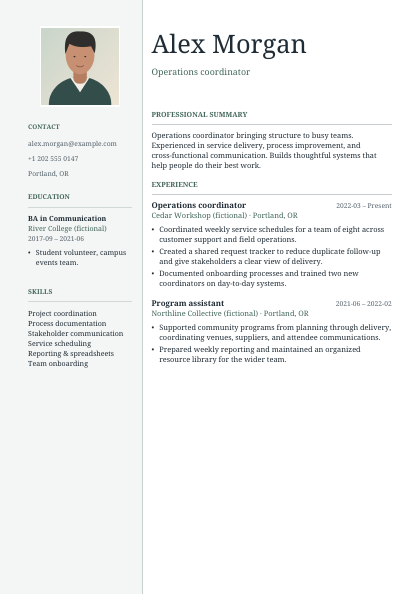
Portrait
A portrait sidebar and quiet green accents, with experience in the main column.
Download Portrait sample PDFYour next chapter, on paper
Create a resume with live previews, flexible templates and optional photos. Keep drafts in your browser and download PDF, Word or plain text when you’re ready.
Made in this builder
Explore actual PDF exports with fictional details and an illustrated sample portrait. These downloadable samples show the photo design families; choose and customize a template in the workspace above.
A portrait sidebar and quiet green accents, with experience in the main column.
Download Portrait sample PDF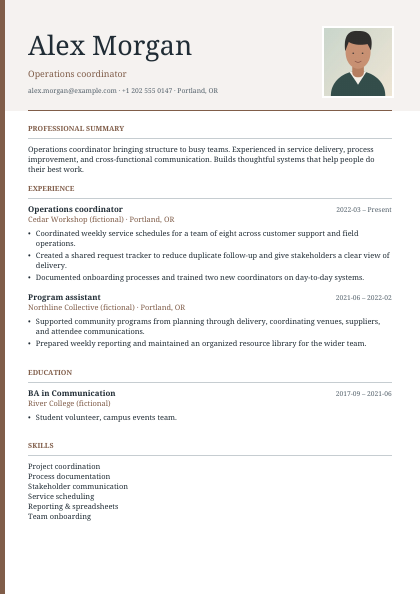
A warm serif header with a portrait and a sequential experience layout.
Download Signature sample PDF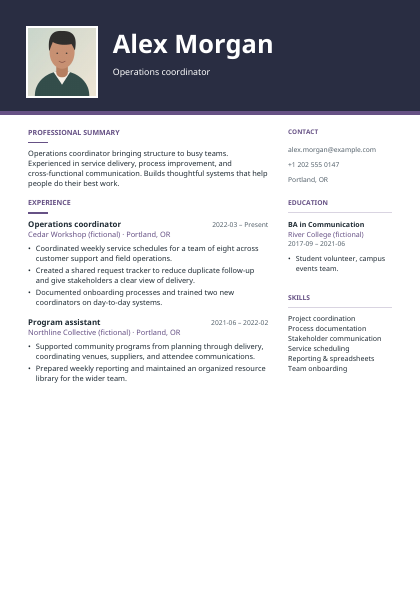
A dark portrait header and purple accents, with a separate contact column.
Download Atelier sample PDF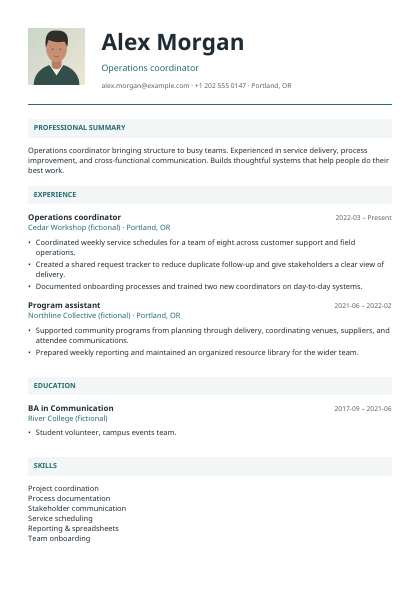
Before you apply
Yes. Create and edit resumes, choose templates, and download PDF, Word or plain text without a payment or account. Optional support is separate from your downloads.
Drafts are saved in this browser on this device. Clearing browser storage can remove them, and they do not automatically sync between devices. Download a JSON backup for a copy you control.
No. Optional AI assistance, when available, sends text you choose and approve to Google Gemini. Review the consent details before sending and check suggested claims before applying them. Editing and exports work without AI.
Yes. Upload a JPEG, PNG or WebP photo up to 5 MiB and 24 million pixels. Crop and position it locally, or remove it. A photo is optional: follow the employer’s instructions and local application conventions.
PDF preserves the builder’s page layout. Word adapts the selected design using standard system fonts, so pagination and spacing can differ. Plain text provides the content without visual styling. Downloads are created locally on your device.
Download an editable JSON backup and use Import on the My resumes screen to restore it in another browser. PDF, Word and text imports need review; they are not a substitute for a complete editable backup.
No builder can guarantee how every applicant tracking system reads a resume. Classic, Essential and Scholar offer a sequential reading order. Use clear headings, check extracted text, and follow the application’s required format.
Choose the paper size required by the employer or application portal. Recheck the preview and the downloaded PDF after changing page size, because line wrapping and page breaks can change.
Create a professional resume with guided editing, ten templates with optional photos, local drafts and reviewed imports. Download PDF, Word, plain text and editable backups without an account.
Core editing, imports and PDF, DOCX, TXT and backup downloads are free and run on your device. Drafts are stored in this browser without an account. Optional AI, when configured, sends only the text and job context you deliberately approve to Google Gemini. Templates use selectable text. Choose Classic, Essential, Scholar, Signature or Horizon for a single content flow; Modern, Executive, Studio, Portrait and Atelier use supporting columns. No builder can guarantee compatibility with every applicant tracking system. Review your final file. Word adapts the selected style and may paginate differently. Keep a JSON backup before clearing browser data.
Keep your original file and review the output. If processing fails, check the format and limits, then try a smaller supported file. Read the processing and privacy details.
Download your result, then select it in the next tool if needed.