Why Is My PDF Upload Rejected? A Troubleshooting Checklist
Diagnose rejected PDF uploads by checking file size, true format, passwords, damage, filenames and portal errors before choosing a fix.
Start with the exact upload error, then check the saved file against the requirements of that upload field. A PDF can be rejected because of size, file format, security settings, document damage or a portal problem. Compressing it helps only when file size is the issue and a smaller usable output is possible.
This checklist applies to job applications, university portals and business uploads in the US and Europe. Requirements vary by service. Keep the original file and make one change at a time so you can tell which step helped.
Record the problem before editing
Note the exact message, upload field, filename, file size and time. Read the field’s instructions, including any difference between individual-file and total-application limits. A generic “upload failed” message does not identify a PDF defect.
Check the file you actually selected, not a similarly named copy in another folder. Downloading several revisions can leave both an old oversized file and a corrected file in the same directory.
Match the symptom to the next check
- File too large: check the size of the saved file. Try Compress PDF on a copy or reduce unnecessary images in the source. Removing required pages is not an appropriate size fix.
- Unsupported type: confirm the file is a real PDF. Renaming “document.docx” to “document.pdf” does not convert it. Export from the original editor or use Word to PDF for DOCX.
- Password or encryption error: ask the document owner for an allowed submission copy. Unlock PDF requires the correct password and authorization; it does not recover an unknown password.
- Damaged or unreadable document: download the original again or ask the sender to export a fresh copy. If the source cannot be recovered, Repair PDF can attempt recovery, but missing data may be unrecoverable.
- Invalid filename: follow the portal’s naming rules. If no pattern is specified, a short descriptive name using ordinary letters, numbers, underscores and “.pdf” is a practical starting point.
- Timeout or session error: follow the service’s retry or support instructions. File processing will not repair a broken connection or expired login.
Worked example: separate size from page count
Imagine a two-page file that is 6 MB and an upload field allowing 5 MB. It meets the example’s page requirement but fails its size requirement. Compression might help. A three-page file of 100 KB has the opposite problem if only two pages are allowed: making it smaller in bytes will not remove the third page.
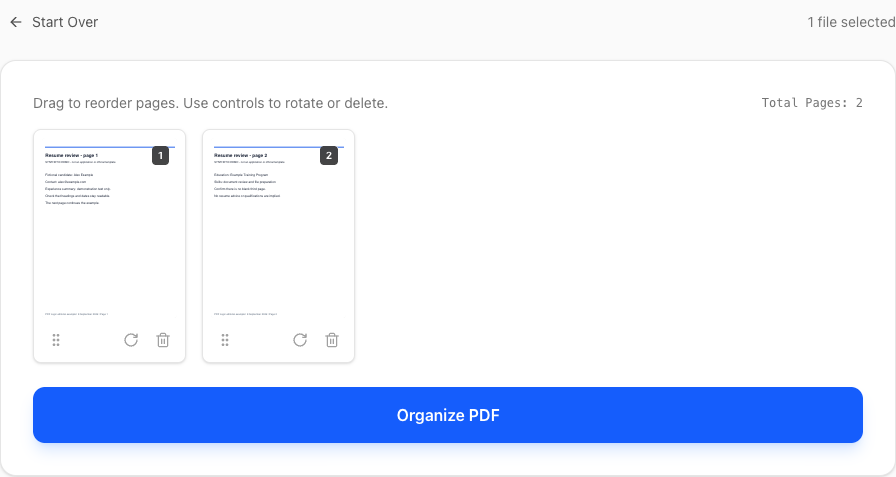
After making a change, save the result with a distinct filename, reopen it, and check every page. Then select that exact file in the upload field. When the service provides a preview, compare it with your local copy before completing the application.
Check the PDF before assuming the portal is wrong
Try opening the downloaded file in a current PDF viewer. If it cannot be opened, returning to the source is often the most reliable next step. Adobe’s PDF opening guidance explains troubleshooting and the limits of recovering corrupted files; checked September 8, 2026.
A signed document needs particular care: changing its contents can affect signature validity. Obtain a suitable original or ask the issuer how to submit it. Do not flatten, unlock or recompress official documents simply to experiment with an unexplained error.
Know when to contact support
If the file opens correctly and meets the stated rules, send the service’s support team the error text, time and browser details through its official channel. Describe the checks you performed. Share a sensitive document only if the support process requires it and you are authorized to do so.
For specific workflows, see the USAJOBS resume checklist, Europass CV guide or Grants.gov attachment checklist. PDF Logic’s compression, repair, unlock and DOCX conversion use server processing; see the privacy policy.
Common questions
Why does a file displayed as “5 MB” still fail?
A file manager may round the displayed size, and a portal may interpret its limit differently. Inspect the byte count where available and leave reasonable room below the stated maximum.
Will repairing a PDF guarantee upload acceptance?
No. Repair attempts to recover a readable document. It cannot change a portal’s requirements or resolve errors unrelated to the file.
Topics
Continue Reading
More articles you might find useful
Reduce PDF File Size: A Practical Review Checklist
Choose compression settings, remove unnecessary pages, and check the output size and readability without relying on a guaranteed reduction.
Best Practices for Organizing Large PDF Documents
Master the art of managing large PDF files. Learn about bookmarks, page numbering, splitting strategies, and tools to keep your documents organized.