Convert
PowerPoint to PDF
Export a PowerPoint deck as a PDF of full slides, a printable handout or speaker notes pages. Pick the slides to include and preview the result before you download.
Uploaded securely and deleted after processing
Drag and drop here
PPTX, PPTOne presentation up to 30 MB
What PowerPoint to PDF does
PowerPoint to PDF renders your PPTX or PPT on our server and saves the pages as a PDF. In the Slides layout every page takes the dimensions of your slide, and text and vector shapes stay sharp when a reader zooms in.
For PPTX files you choose which slides go in and how they are arranged: one slide per page, a handout with 2, 3, 4 or 6 slides per page, or speaker notes pages with the slide above your notes. Hidden slides are left out unless you include them. Older PPT files convert as a full deck of slides.
The deck is uploaded when you ask for a slide preview or convert, and the temporary copy is deleted when the job finishes. A PDF is a still document, so each slide is captured as one page; animations, transitions, video and audio are not carried over.
Is this the right tool?
Good for
- Sending a deck to people who do not have PowerPoint or should not edit it
- Printing workshop handouts with three slides and writing lines per page
- Giving a co-presenter the slides with your speaker notes underneath
- Sharing only slides 1-12 of a longer internal deck
Not the right tool for
- Going the other way, from a PDF back to slides.PDF to PowerPoint
- Shrinking an image-heavy deck below an email limit. Convert first, then compress to a maximum size.Compress PDF
- Reordering or deleting pages after the PDF is made.Organize PDF
How to convert PowerPoint to PDF
Choose a presentation
Drop one PPTX or PPT file up to 30 MB.
Choose Slides to include
Keep All slides, or select Custom range and type slide numbers such as 1, 3-5. Tick Include hidden slides if they should be exported.
Pick a Page layout
Choose Slides for one slide per page, a Handout with 2, 3, 4 or 6 slides, or Speaker notes for the slide with its notes.
Set Quality & paper
Standard is right for most sharing. For handouts you can also choose A4 or Letter and the orientation.
Convert
Select Convert to PDF. Preview slides is available first if you want to see the deck or pick slides by thumbnail.
Review and download
Page through the PDF preview, edit Download filename and select Download PDF.
Worked example
One 30-slide training deck, exported three ways
Say you are running a training session with a deck of 30 slides, plus two hidden backup slides, and notes on most of them.
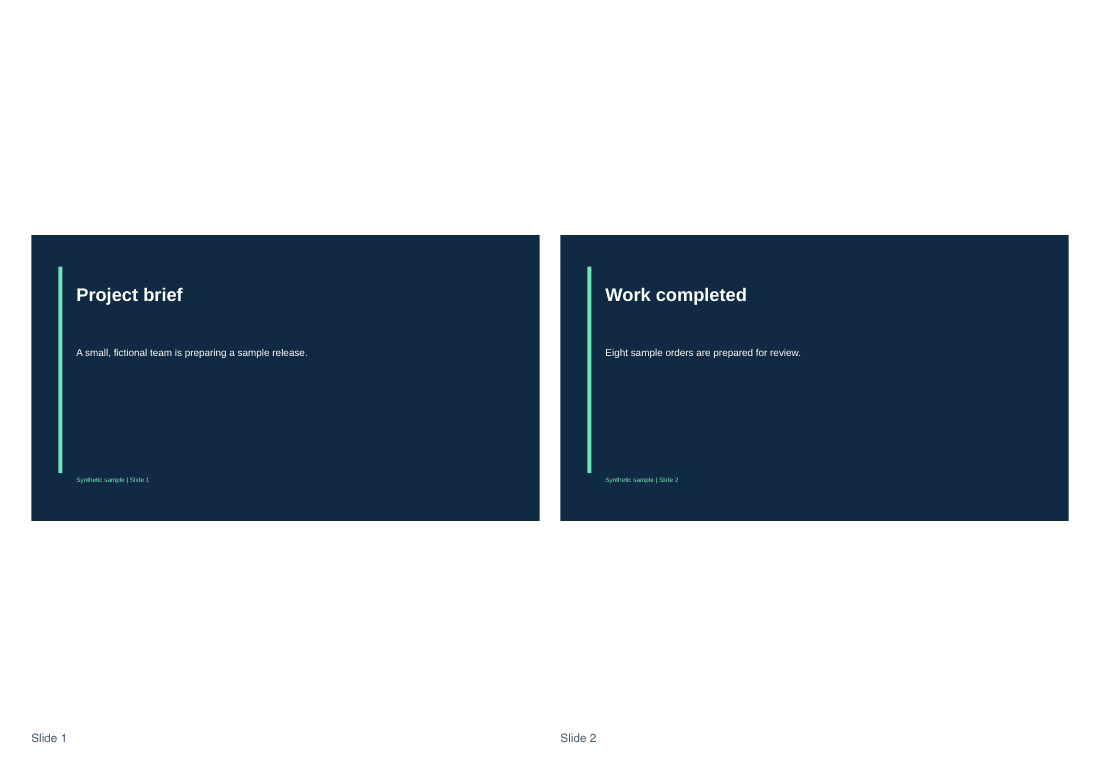
For the room, choose the Handout with 3 slides and writing lines on Letter paper. Thirty slides become ten pages, each slide is labeled with its original number, and the hidden slides stay out.
For yourself, convert again with the Speaker notes layout. Each page shows one slide with your notes beneath it. The tool reminds you that notes will be visible in the PDF, which is the point here and the reason not to send this version to attendees.
For the follow-up email, use the Slides layout with Smaller file. Pictures are compressed to keep the attachment light, while slide text stays crisp.
Tips for a better result
- Read a Speaker notes export from start to finish before you share it. Notes often hold reminders meant only for you.
- Pick Print quality only for a print shop. It stores pictures without lossy compression, so photo-heavy decks get large.
- Save a PPT as PPTX in PowerPoint to unlock slide ranges, handouts and notes pages.
- A file named .ppt that PowerPoint 97-2003 did not write is turned away. Open it in PowerPoint, choose Save As, pick .pptx and convert the new file.
- If a font looks different in the preview, switch that text to a common font in PowerPoint and convert again.
PowerPoint to PDF: questions and answers
How do I print several slides on one page?
Set Page layout to a Handout option with 2, 3, 4 or 6 slides per page. The 3-slide layout adds ruled lines beside each slide for handwritten notes. Open Quality & paper to switch between A4 and Letter, and between landscape and portrait.
Are hidden slides exported?
Not by default. Tick Include hidden slides to add them; the checkbox shows how many the deck contains. The file summary lists the hidden count as soon as a PPTX is loaded, so you know before converting.
Why can't I choose slides or handouts for my PPT file?
The older PPT format does not expose the slide details the tool needs, so a PPT converts as a full deck of slides with a quality setting only. Open it in PowerPoint, save it as PPTX and add it again to choose ranges, handouts or notes.
What paper size do full-slide pages use?
None. In the Slides layout each PDF page takes the exact dimensions of your slide, so a 16:9 deck gives 16:9 pages. Paper size and orientation apply to handouts, where slides are arranged on A4 or Letter.
Do links on my slides still work in the PDF?
Web links are kept as clickable links where the converter can place them, and a notice appears next to the download if any could not be restored. Click through the important ones once before you send the file.